
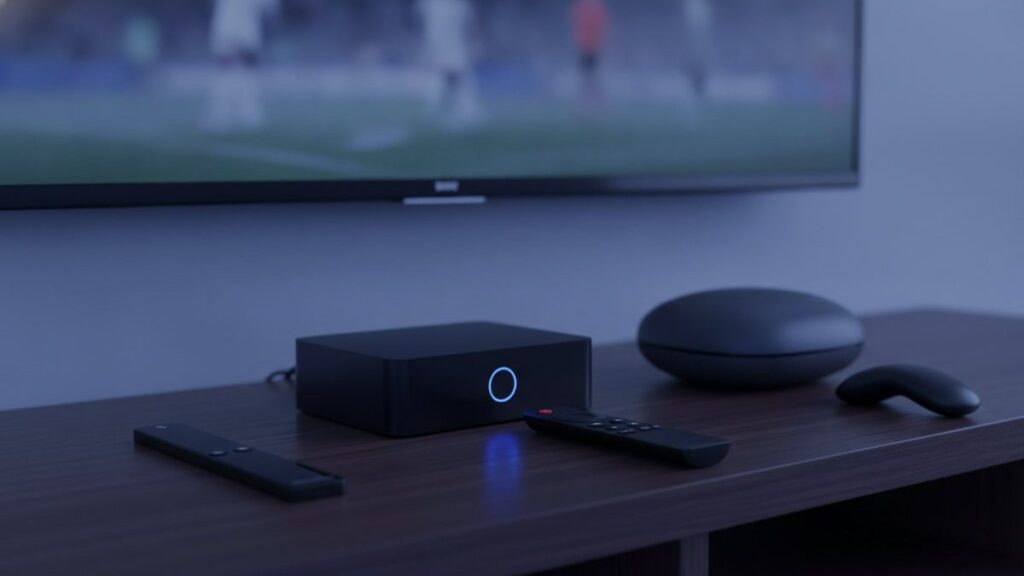
Most people do not need an IPTV box, and those who do are better served by a $40 stick than a $180 dedicated unit. Before spending anything, check what is already in the room – a smart TV made since 2016, an existing streaming stick, or a laptop will get you watching tonight for nothing.
The short version
Start with what you own. If you must buy, a Fire TV Stick 4K at $30 to $50 covers nearly everyone. Spend more only for a main television used daily, or if you want a remote and guide that feel like a set-top box.
Check what you have first
- Samsung or LG from 2016 onward. Both run players from their own stores. No extra hardware at all.
- An existing Fire TV Stick or Android TV device. Already capable; it just needs a player.
- A phone, tablet or laptop. Ideal for testing before committing.
- An Apple TV. Runs IPTV Smarters Player from the tvOS store.
Take the trial on whatever you own. Establish the service is good before deciding what to run it on.
The options
| Device | Price | TiViMate? | Verdict |
|---|---|---|---|
| Fire TV Stick 4K / Max | $30 – $50 | Yes, sideloaded | The default answer |
| Chromecast with Google TV | $40 – $50 | Yes, from Play Store | No sideloading needed |
| Generic Android box | $40 – $90 | Usually | Variable. Demand 2 GB RAM plus |
| Nvidia Shield | $150 – $200 | Yes | Fastest available. Overkill for most |
| Formuler Z11 | $140 – $180 | Yes, plus MyTVOnline | The enthusiast pick |
| MAG 5xx | $120 – $160 | No, portal-based | Simple, stable, cable-box feel |
| Roku | $30 – $100 | No | Avoid for IPTV |
Why the Fire TV Stick wins on value
It costs less than a month of cable, handles 4K without complaint, and is discounted heavily several times a year. The one wrinkle is that TiViMate is not in Amazon’s store, so it needs sideloading through Downloader – about five minutes, and our Firestick guide names every menu.
Skip the non-4K Lite unless budget is genuinely tight; it caps at 1080p, which defeats the point of paying for Ultra HD feeds.
What the expensive boxes actually buy
The remote. Purpose-built buttons for the channel list, guide and favourites rather than repurposed streaming controls. On a television used daily this matters more than specifications.
No sideloading, ever. A MAG runs from a portal tied to the box, so there is nothing to install or update.
A faster guide. Dedicated hardware redraws a large channel list noticeably quicker than a stick doing the same work.
Against that: three to five times the price of a stick. Worth it in a living room, poor value in a bedroom. Setup for both is in our MAG and Formuler guide.
Why Roku is the wrong choice
Roku hardware is excellent for mainstream streaming, so the assumption is reasonable – but it permits no sideloading, and its store carries almost none of the established players. TiViMate is absent entirely. What remains is a thin selection plus screen mirroring, which works but is a poor daily experience. If you already own one, our Roku guide covers the two working methods. If you are choosing now, buy something else.
Buying a generic Android box
- 2 GB RAM minimum, ideally 4. Below that, large channel lists crawl.
- Certified Android TV, not a phone build, so the Play Store shows TV apps.
- An Ethernet port. Cabled beats wireless for live streams, consistently.
- A named brand. Unbranded boxes often ship modified firmware of unknown origin.
- Ignore core counts. Eight slow cores lose to four fast ones, and listings routinely mislead.
The upgrade that beats all of them
If buffering is the complaint, hardware is usually the wrong purchase. A $12 Ethernet adapter fixes more streaming problems than any box, because most stuttering is a network issue. Wi-Fi at nine in the evening, in a room away from the router, with the whole street streaming, is where live television falls apart. Try the cable before spending $180 on a box that will hit the same wall.
What we would buy
Nothing at first. Test on what you own. Then a Fire TV Stick 4K plus an Ethernet adapter if the television is old or slow – about $50 and it solves most cases. A Formuler or MAG only for a main television you use every day.
All of them work with a Tivo8k account, issued as a standard Xtream Codes login. Instructions for every device are in the setup hub.
Frequently asked questions
What is the best IPTV box in 2026?
For most people, the Amazon Fire TV Stick 4K Max at about $60: it runs every IPTV app, handles 4K and is easy to set up. For daily viewers who want a purpose-built player and remote, the Formuler Z11 Pro Max at about $190. For the fastest Android TV hardware, the Nvidia Shield TV Pro at about $200.
What's the best IPTV box to buy on a budget?
The Walmart onn. 4K Pro at about $50. It has an Ethernet port, 3 GB of RAM, a Play Store so TiViMate installs without sideloading, and it handled 4K IPTV feeds in our tests. The Fire TV Stick 4K Max is the alternative if you prefer Fire OS or cannot buy from Walmart.
How much does an IPTV box cost?
From about $50 for an onn. 4K Pro or $60 for a Fire TV Stick 4K Max, through $80 to $100 for a MAG 324, BuzzTV or Google TV Streamer, to $190 to $200 for a Formuler Z11 Pro Max or Nvidia Shield TV Pro. The subscription that supplies the channels is separate, from $15 a month or about $6 a month on a yearly plan.
Is the Formuler Z11 Pro Max worth it?
If you watch IPTV every day, yes. Its built-in MyTVOnline 5 player, dedicated remote buttons, 4 GB of RAM and gigabit Ethernet make it the smoothest dedicated IPTV box we have used. If you watch a few evenings a week, a Fire TV Stick 4K Max gives most of the experience for a third of the price.
Do I need a box at all for IPTV?
No. A Samsung or LG smart TV made after 2016, an Android TV, an Apple TV, a phone or a PC all run IPTV apps directly. A box is worth adding when the TV is older, when you want TiViMate on a non-Android TV, or when you want Ethernet and a better remote.
Should I buy a fully loaded IPTV box?
No. Boxes sold with IPTV apps and a lifetime subscription pre-installed usually stop working within weeks, often run modified apps, and some have shipped with malware. Buy a clean device from a normal retailer, install the apps yourself and add a subscription from a provider with a website, trial and refund policy.
Ready to watch 25,000+ channels?
Order on WhatsApp and get your login in under 15 minutes. 7-day money-back guarantee.
Related articles
Best IPTV Apps in 2026: TiViMate vs Smarters vs Smart IPTV vs IBO Player
There is no single best IPTV app, only the best one for your device. We installed seven players on a Firestick, a…
September 2, 2026How Much Does IPTV Cost in 2026? Real Prices From 5 Providers
IPTV costs $15 for a month and $59 to $85 for a year on one device, which is $5 to $7 a…
August 31, 2026Is IPTV Legal in the US? A Plain-English Guide for 2026
IPTV technology is legal in the United States. What can be illegal is unlicensed distribution, and enforcement targets the sellers. The two…